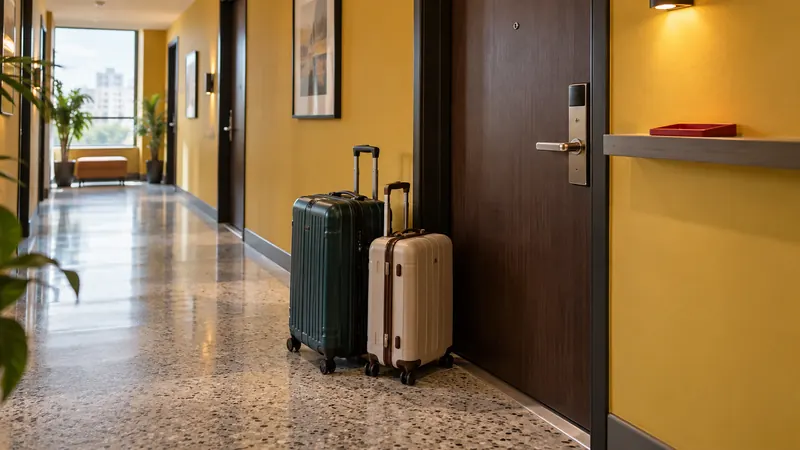
Direct booking is a journey, not a button
A direct booking is a stay reserved with the property rather than through an OTA. It may begin on the property's website, in WhatsApp, by phone, by email, or at the front desk. What matters is that the guest deals with the property for the reservation.
That does not make OTAs the enemy. An OTA helps travellers discover and compare properties. It can provide a familiar account, clear search filters, reviews, and a booking flow the guest already understands. Those services have value. The right goal for an independent property is not to force every guest away from OTAs. It is to make direct booking a credible choice when a guest actively looks for it.
Direct matters because it gives the property more control over the information and steps on its own route. You decide which room details to explain, which questions to answer, when to ask for payment, and how to confirm the stay. You can also make the return journey easier for a guest who already knows the property.
Do not build the strategy around a universal commission percentage or a promise that direct bookings always cost less. OTA agreements, payment charges, promotions, staffing time, website costs, and guest-acquisition costs differ. Compare your own numbers by source. The practical question is simpler: when a guest is ready to book directly, can they finish without confusion?
Audit the six moments every guest passes through
The most useful direct-booking audit follows the guest rather than the tools. Walk these six moments on a phone using mobile data, not the office computer where everything is already signed in.
| Guest moment | What the guest needs | What the property should verify |
|---|
| Discover | Confidence that this is the right property | The name, location, property type, main photos, and direct route are easy to recognise |
| Decide | Enough detail to choose a room and policy | Room names, occupancy, inclusions, cancellation terms, photos, and payable price agree across channels |
| Reserve | One obvious next step | Dates and availability are clear, the form asks only for useful information, and the booking status is explained |
| Pay | A suitable method and an honest amount | Available methods, full payable amount, payment deadline, and what happens after payment appear before commitment |
| Confirm | A record the guest and team can trust | Room, dates, guest name, amount or payment status, booking status, and contact route appear together |
| Return | A direct route worth remembering | The property is easy to find again and a past guest knows how to start the next booking |
Do the audit from top to bottom, but fix the first broken moment first. Better payment options cannot help a guest who never finds the correct website. A polished homepage cannot rescue a reservation form that hides the final amount.
Build the route once, then keep it clear
This is where a direct-booking system should do more than add a button. Treat the property website, room choice, reservation, payment, confirmation, and return stay as one connected route. Kiyo can support that route when the relevant property features are enabled and configured; the exact capabilities and conditions are explained after the six-moment audit. First, find the moment where the guest loses confidence.
1. Make the property easy to recognise
Search the property name as a guest would. Check the name, map pin, phone number, room names, photos, and website link. A small difference may feel harmless to the team because everyone knows the property. To a first-time guest, it can look like two different businesses.
The first screen should answer a few plain questions: What kind of property is this? Where is it? Who is it suitable for? How do I see rooms and dates? How do I ask a real person for help?
Specific language does more work than a slogan. “Six-room guesthouse near Sanur beach” helps a guest place the property immediately. “An unforgettable sanctuary” does not say what is being booked.
Search visibility is a separate job from booking clarity. Give every important page a descriptive title and summary, but never assume an edited title guarantees indexing, traffic, or ranking. The page still has to answer the guest's question once it appears.
2. Help the guest compare without guessing
Guests often move between an OTA listing and the property's site. Make that comparison easy. Use the same room names, maximum occupancy, bed setup, key inclusions, and policy language wherever the room is sold.
If the OTA says “Deluxe Garden Room” and the website says “Room Four,” the guest has to decide whether they are looking at the same room. If one page includes breakfast and another does not say, the lower price may look incomplete rather than attractive.
Show the full payable amount before the guest commits. If charges or deposits apply, explain them beside the price and policy they affect. Do not rely on a small note at the end of the checkout. This article does not prescribe one tax or service-charge treatment because property and local requirements differ. The rule is to present the amount and terms consistently enough that the guest can make an informed choice.
3. Make reservation status obvious
A Book Now button is useful only when the next screen keeps the promise. The guest should be able to choose dates, understand which room is available, enter the information needed for the stay, and see what changes the request into a confirmed booking.
Separate three states in your own process:
- An enquiry asks whether a stay might work.
- A temporary hold protects a room until a stated time or condition.
- A confirmed booking has met the property's stated confirmation rule.
Do not let the website, WhatsApp, and front desk use those words differently. A guest who reads “booked” while reception reads “waiting for deposit” is already inside a preventable dispute.
Keep the form short, but not vague. Arrival time, occupancy, and a useful contact route may matter. A field that nobody uses after submission does not. Test the flow with a person who did not build it, then watch where they stop to ask what a label means.
4. Match payment choices to the booking
The payment step should explain which methods are actually available, what amount is due, when it is due, what reference the guest should use, and what message follows. Do not advertise a method that the property has not activated and tested.
An Indonesian guest may prefer QRIS, a virtual-account bank transfer, or an e-wallet. An international guest may prefer a card. That is a useful planning distinction, not a rule about every traveller. Look at the payment methods guests at your property request, then choose a small set the team can support clearly.
For a deeper explanation of the payment rails and their operational limits, use the guide to local payment choices in Indonesia (opens in new tab).
When payment is delayed or rejected, tell the guest what status the booking has and what to do next. Never leave reception guessing from a screenshot. External payment systems and networks can delay, reject, or expire a payment, so the confirmation step must reflect the status the property can actually verify.
5. Confirm the same facts to the guest and team
A useful confirmation is short enough to scan and complete enough to settle the important questions. It should include:
- property and guest name;
- room or unit;
- arrival and departure dates;
- guest count;
- amount received, amount due, or a clear pending status;
- booking status;
- important cancellation or arrival condition; and
- the contact route for a correction.
The guest and the front desk should see the same core facts. If the guest email says paid but the desk list says pending, the direct path has created work rather than removed it.
Templates help the team use the same structure, but a template does not guarantee delivery. Test the enabled delivery flow and keep a visible follow-up process for messages that fail or require a personal answer.
6. Make the second direct booking easier than the first
A returning guest already understands the property. Do not make them reconstruct the route months later. Keep the property name consistent, maintain a working website and contact path, and make the previous confirmation easy to search.
At checkout, tell guests where to find current rooms and dates next time. If you send later updates, collect the required permission and follow the rules that apply to your audience and channels. Do not assume that a booking automatically grants permission for every future marketing message.
A return offer should be something the property can deliver consistently. It might be a room preference, an arrival arrangement, or a direct-booking inclusion. Avoid promises the next shift cannot see or honour. The benefit of a repeat guest disappears if the property starts the second stay with an argument about what was promised.
Keep OTAs as discovery partners
OTAs and direct booking solve different parts of the journey. OTAs can introduce the property to travellers who did not know its name. The direct route serves guests who search for the property, arrive through another recommendation, or return after a previous stay.
Keep active OTA listings accurate. Use current photos, room names, policies, and availability; a confusing listing creates doubt, not a better direct path. Review each source using the property's own agreement and records, then use the result as a planning tool rather than a moral verdict. The detailed OTA-cost worksheet belongs to the queued Topic 017 and is deliberately not linked until its URL is live.
For an Indonesian property that receives direct enquiries through WhatsApp, a chat can begin the booking but should hand the guest to this same clear availability, payment, and confirmation path. Enter the booking into the main record as soon as the property's booking rule is met. A booking left only in chat can compete with a room still available elsewhere; the double-booking guide (opens in new tab) explains that availability risk. The detailed guest-messaging runbook belongs to queued Topic 018 and is deliberately not linked until its URL is live.
Use Google free booking links when the route is ready
Google's Hotel Center documentation says free booking links can show a hotel's direct booking site and selected rate without charging for the click. The guest is then sent to the landing page supplied by the hotel or its booking partner. Eligibility and appearance are not automatic.
Google's current free booking-link best practices (opens in new tab) advise properties to keep their Business Profile accurate, provide accurate prices and availability, and send the guest to a working landing page that shows the selected room and rate clearly. Its ranking guidance (opens in new tab) says ranking uses several signals, including landing-page experience and historical price accuracy. Nobody can promise a position.
Treat this as a distribution project after the direct route works. First verify that the property is correctly matched, the booking partner or Hotel Center setup is eligible, the rate data is accurate, and the landing page completes the booking. Then monitor the account's own reports. A free click to a broken checkout is still a broken booking path.
Improve the path over 30 days
Do not redesign everything at once. Use one month to remove the clearest friction in order.
Week 1: book the property yourself
Use two phones and two connections. Search the property name, compare the OTA listing with the website, complete a test reservation path, and send a WhatsApp enquiry. Record every mismatch, unclear status, delayed response, dead link, and surprise.
Week 2: make the facts agree
Align the property name, room names, occupancy, photos, inclusions, policies, and prices across the pages you control. Decide which record owns each fact and who updates it.
Week 3: repair reservation, payment, and confirmation
Remove unnecessary form fields. Explain enquiry, hold, pending payment, and confirmed status. Test every payment method the property offers. Send the same confirmation facts to the guest and the team.
Week 4: review evidence from real enquiries
Count completed direct bookings, incomplete booking attempts you can observe, and direct enquiries. Record the question that blocked each person. Fix repeated questions on the page where they occur. Do not judge the work from raw traffic alone or promise a conversion increase before enough comparable data exists.
Repeat the six-moment audit after the changes. If guests now stop at a later step, that is useful information. It may suggest the earlier friction was reduced and the next problem is more visible.
Where Kiyo fits in the direct journey
An enabled Kiyo property can bring several parts of the direct route into the same operating system, subject to the setup conditions below.
For a property with the website feature enabled, Kiyo includes a website editor and booking page (opens in new tab). The property can also edit SEO titles and descriptions for that guest website. Those controls help the team maintain the page, but they do not guarantee indexing, traffic, or ranking.
For an active property with configured rooms, rates, and availability, Kiyo includes a guest-facing booking checkout (opens in new tab). When payment is collected, the property's payment configuration must also be active. Exact methods depend on the merchant account, market, and live payment channels. Where eligible and active, the checkout payment choices (opens in new tab) can include QRIS, virtual-account bank transfer, selected e-wallets, and cards. An external provider or network can still delay, reject, or expire a payment.
Kiyo also includes an email-template editor (opens in new tab) for configured guest-message template types. The relevant delivery flow must be enabled and tested. Editing a template does not guarantee that every message is delivered.
When the direct page and OTA distribution are both in use, teams can manage availability, rates, and stay rules in Kiyo and sync them to connected and correctly mapped OTA channels. The integration must remain active, mapping must be correct, and provider failures or retries can still occur. This is why the operating routine still needs warnings and ownership instead of an instant-sync promise.
The practical reason to consider Kiyo is that its property website, booking checkout, supported payment choices, guest message templates, and connected-channel availability functions can support the same direct-booking path when each one is configured as described above.
Kiyo's Starter room price begins at Rp40,000 per room per month for hotels and guesthouses. The complete Starter subscription also has a Rp150,000 monthly platform fee, so a one-room property starts at Rp190,000 per month. A villa sold as one whole house counts as one unit; hostels use separate per-bed pricing. This is a pre-launch commercial offer, so the public offer and billing path must match before release. Check Kiyo's current plans and terms (opens in new tab) for your property type and setup.
Fix the first uncertain moment
Walk the six moments as your own guest this week. If the first failure is an inconsistent room name, repair it before buying traffic. If the failure is the booking, payment, or confirmation journey, review the whole flow rather than adding another button.
 Add Kiyo to your preferred sources on Google