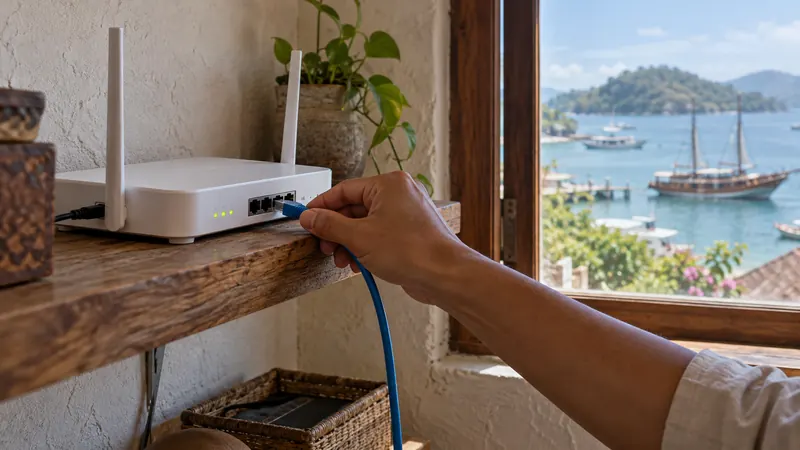
Why should an Indonesian hotel or villa think about Trip.com?
Trip.com is part of Trip.com Group, one of the big travel booking companies in Asia. Many travellers from China, South Korea, Japan and other Asian countries use it to plan trips. If your guests come from those places, being on Trip.com puts you where they already search.
There are three simple reasons owners add it:
- More reach in Asia. Your property shows up for travellers who may never open the sites you use now.
- Low cost to start. Trip.com's partner FAQ says there is no fee to list. You only pay commission on bookings.
- Less risk from one site. If one booking site changes its rules or your ranking drops, other sites keep bookings coming.
More sites also means more work, though. Each new site is another calendar to keep right. Our guide on how many OTAs a hotel should use (opens in new tab) helps you decide if a new site is worth it for your size. And our guide to OTA costs in Indonesia (opens in new tab) shows how commissions compare with direct bookings.
What do you need before you sign up?
Trip.com's partner FAQ (opens in new tab) lists what to have ready. Gather it before you start, so you can finish the form in one go.
| What to prepare | Why Trip.com asks for it | A tip for Indonesian properties |
|---|
| Property name and address in English | Guests from many countries read your page | Write the address the way a taxi driver would find it, with the area name, like "Jalan Danau Tamblingan, Sanur" |
| Property type | It sets how your listing is shown | Choose villa, hotel or guest house carefully |
| Contact details | For ongoing contact with Trip.com | Use an email someone checks every day |
| Real, sharp photos | Guests decide from photos | Phone photos are fine if they are bright and honest |
| Settlement details | So Trip.com can pay you correctly | Double-check the bank or card details |
| Breakfast and child policies | Families and groups look for these | Say exactly what breakfast includes and from what time |
| Licences | The property must be legally run | Keep your business documents ready in case Trip.com asks |
Your cancellation rules matter too. Decide them before you list, so they match your other sites. Our hotel cancellation policy template (opens in new tab) gives simple wording you can adapt.
How do you sign up on Trip.com eBooking, step by step?
These steps follow Trip.com's own partner FAQ.
- Create an eBooking account. Start from Trip.com's list your property (opens in new tab) page.
- Enter your property details. Add the name, address, type, rooms, photos, rates, policies and settlement details.
- Submit the application. Trip.com says it gets back to you within 1 to 3 working days.
- Fix anything they ask for. If the listing is rejected, you can change it based on the reasons given and send it again.
- Sign the e-contract. Read the contract details, then select "Agree". Your commission rate is shown at this step.
- Check everything, then open for bookings. Trip.com recommends checking your content, calendar and prices before you make rooms bookable.
Signing in later is simple. Go to eBooking, choose your language at the top right, enter your username and password, and click "Sign In". If you forget your password, click "Forgot password?" and follow the email link. If you forget your username, Trip.com asks you to email Lodgingsupport@trip.com.
How do you set up rooms and rates on Trip.com without mistakes?
The first week on a new site is when most errors happen. A few careful choices now save you refunds later.
- Use the same room names everywhere. If a room is "Deluxe Garden View" on Booking.com, call it that on Trip.com too. Your team will match bookings faster.
- Say clearly if breakfast is included. Many owners sell one rate with breakfast and one without. Make sure each rate on Trip.com says which is which, so a guest never arrives expecting a meal you did not price in.
- Set the right number of guests. If a room sleeps two adults and one child, say so. Trip.com asks for your child policy for this reason.
- Copy your minimum stays. If you ask for three nights over New Year, set the same rule on Trip.com as on your other sites.
- Open only what you can sell. If you are not yet linked to a channel manager, open a small number of dates first and close them by hand as they sell.
How does Trip.com pay you?
Trip.com's FAQ asks partners to make sure their virtual credit card (VCC) or bank transfer details are correct, so payments can be settled. A VCC is a one-time digital card that you charge for the booking amount. Which method applies to you, and when the money arrives, is set in your contract and in the finance part of eBooking. Read those terms before your first guest arrives, and ask your market manager if anything is unclear.
What can you do inside eBooking once you are live?
eBooking is where you run your Trip.com business day to day. According to Trip.com, it covers these jobs.
| Area | What you do there |
|---|
| Rates and availability | Set prices and open or close dates |
| Property information | Update rooms, photos, text and policies |
| Reservations | See and handle upcoming bookings |
| Reviews | Track what guests say about their stay |
| Promotions and campaigns | Join deals, TripPlus and other programmes for more exposure |
| Analytics | Watch your sales and traffic |
| Online chat | Talk to Trip.com's Hotel Support and message guests about arrival times or transport |
| Finance | Check your financial details |
One setting to know is "Auto-confirmation". Trip.com says that with it switched on, bookings are confirmed instantly, with no extra step for you. That is handy for a small team, but only if your calendar is always correct.
How do you win bookings from Chinese, Korean and Japanese guests?
Getting listed is step one. Getting chosen is step two. Here are tactics that work for small properties.
- Show breakfast clearly. Many Asian travellers care about breakfast. Add a photo and list what is served and when.
- Explain transport. Say how far you are from the airport and if you can arrange a pickup. Use eBooking chat to confirm arrival times.
- Photograph the bathroom. Clean, bright bathroom photos build trust fast.
- Keep prices consistent. Guests compare sites. Our guide to room price differences across OTAs (opens in new tab) explains why gaps hurt you.
- Send a short welcome message. A friendly note before arrival, with the address and a map pin, avoids lost taxis. Our pre-arrival message template (opens in new tab) is a good start.
- Reply quickly. A fast, polite answer often wins the booking over a place that replies tomorrow.
- Plan for Asian holiday peaks. Lunar New Year and the big public holidays in China, Korea and Japan can bring busy weeks. Check your prices, minimum stays and staff rosters for those dates a few months ahead.
Bali is a dream trip for many Asian travellers, and the island's mix of culture, food and beaches sells itself. Your job is to make your page clear enough that guests feel safe choosing you.
Worked example: one month of Trip.com bookings at a Sanur villa (made up)
The villa, bookings and the commission rate below are made up. Your real rate is the one in your Trip.com contract. Picture a villa in Sanur that gets 6 Trip.com bookings in one month, each worth Rp3,600,000.
| What happened (made up) | Booking value | Commission due? |
|---|
| 4 guests stayed | Rp14,400,000 | Yes |
| 1 guest cancelled under free cancellation | Rp3,600,000 | No |
| 1 guest cancelled and paid a Rp1,800,000 cancellation fee | Rp1,800,000 paid | Yes, on the amount paid |
| Commission is charged on | Rp16,200,000 | |
Trip.com's FAQ explains the two cancellation rows. With free cancellation, you do not pay commission. If a cancellation fee applies, you may pay commission on what the guest paid. Now say the made-up contract rate is 15%. The commission would be Rp2,430,000, and the villa keeps Rp13,770,000 from these bookings. Knowing this helps you set cancellation rules with your eyes open.
How does a channel manager connect to Trip.com?
A channel manager keeps your rooms and prices in step across all your booking sites. When a room sells on one site, it closes on the others.
Trip.com says its platform works with most channel managers. Its FAQ also says that after your property goes live, your Trip.com market manager guides you through linking your channel manager. So the usual order is:
- Get approved and sign the contract.
- Ask your market manager to start the channel manager link.
- Map each room type in your channel manager to the right room on Trip.com.
- Check a few dates by hand on Trip.com after the link is made.
Approval and timing are decided by Trip.com, so plan for some back and forth. Our guide on connecting Traveloka, tiket.com and Agoda to a channel manager (opens in new tab) shows the same pattern on other sites.
What mistakes do owners make on Trip.com?
- Turning on auto-confirmation with a messy calendar. Fix your calendar first.
- Different cancellation rules on every site. Guests get confused, and so does your team.
- Weak English property names. A name guests cannot read or search is a name they skip.
- Ignoring eBooking chat. Guests ask about transport and arrival there. Check it daily.
- Wrong settlement details. Money cannot reach you if the details are wrong.
- Adding Trip.com before the team is ready. One more site means one more place to watch until it is linked.
- Leaving old photos up. If you renovate a room or add a pool, update Trip.com the same week as your other sites.
How does Kiyo work with Trip.com?
Kiyo is a property management system (PMS) and channel manager for independent hotels, villas and guesthouses in Indonesia and beyond. It connects to 75+ OTAs from one calendar.
Trip.com is one of the booking sites Kiyo connects to, through a connectivity partner. Once the link is live, Kiyo sends your rates and open rooms to Trip.com. It also sends your stay rules, such as a minimum stay, a maximum stay or a date you close for sale. New Trip.com bookings come straight into your Kiyo calendar, next to bookings from your other sites.
To set it up, you enter the hotel ID from your Trip.com eBooking account, and the Kiyo team works through the room mapping with you. Trip.com still decides on its side when the link goes live, together with your market manager, so plan the timing with them. Guest messages and reviews stay in eBooking, so keep checking those there.
Once your booking sites are connected through Kiyo, a room locks on all channels within milliseconds when a guest books. Bookings from WhatsApp, phone and walk-ins go into the same calendar, so they count too.
During onboarding, the Kiyo team sets up your rooms and rates and connects your other booking sites with you. Plans start from Rp40k per room per month (opens in new tab). Free setup, pay from go-live, 14-day money-back guarantee. If you also use Agoda, our Agoda extranet guide (opens in new tab) shows where things live in its Partner Portal.
Frequently asked questions
Yes. Trip.com says there is no fee to list. You pay commission on bookings, at the rate in your contract.
Trip.com says it gets back to you within 1 to 3 working days after you apply. After approval, you sign the e-contract and open your rooms.
Not on bookings cancelled under free cancellation. If the guest pays a cancellation fee, you may pay commission on that amount.
Yes. Trip.com says it works with most channel managers, and your market manager guides the link after you go live.
Yes. Kiyo sends your rates, open rooms and stay rules to Trip.com and brings new Trip.com bookings into your calendar. The Kiyo team sets up the link with you once Trip.com has approved your property.
Email Trip.com's Lodging Support at Lodgingsupport@trip.com. For a forgotten password, use "Forgot password?" on the sign-in page.
 Add Kiyo to your preferred sources on Google