What is different about running a hostel
The core of a PMS is the same for a hotel, a villa or a hostel: one record per stay, one calendar, one place to see who arrives today. The pressure is different.
Stays are often one or two nights. Check-outs and check-ins pile up in the same morning. A private room can turn over the same day, which is why back-to-back bookings (opens in new tab) matter so much. Walk-ins are normal, not a special case. Many guests first write on WhatsApp, then arrive after dark with a screenshot and a question about the password.
Channels also differ in mix, not only in count. A hostel may sell on Booking.com, Agoda, Traveloka, tiket.com and a direct WhatsApp number in the same week. Traveloka lists hostels as a property type on its official TERA partner page (opens in new tab), and TERA can connect to a channel manager. If one of those is updated by hand, the calendar is already late. The point of hostel PMS software is to stop that late update, not to add another spreadsheet.
Staffing is thinner. One person may be on the desk, answering the door, and checking a guest in. The system has to work in the language that person uses, and it has to work when the owner is not standing next to them.
One calendar for walk-ins, WhatsApp and OTAs
Start with a simple rule: every stay is entered in the PMS at the moment it is agreed. That includes:
- Bookings that arrive from an OTA, which should land in the calendar on their own once the channel is connected.
- WhatsApp reservations, entered by the person who confirms the dates.
- Phone reservations, entered before the call ends if you can, and otherwise immediately after.
- Walk-ins, entered at the desk before the guest is given a key or a door code.
If one of those still lives only in a chat thread or a notebook, you do not have one calendar. You have a hope that two people will not sell the same room. For the wider version of this problem, see how to stop double bookings (opens in new tab).
When a stay is entered, the room should lock on all connected channels within milliseconds. Guest details from an OTA can arrive later, once payment is confirmed. The space must already be held. The remaining risk is always the stay you took yourself and did not type in.
A practical desk habit helps. Keep the calendar open on the day view during reception hours. When someone asks "do you have a room tonight?", look at that screen, not at memory. If the answer is yes, enter the stay, then answer the guest. The extra twenty seconds is cheaper than a late-night move to another room.
Check-in, short stays and same-day turnover
Hostel mornings are a queue: people leaving for a bus, people arriving early, linen that is not yet back, and a private room that is booked again the same afternoon. Software cannot fold the towels. It can tell you, in one list, who leaves, who arrives, and which rooms are still dirty.
What to look for in the daily list:
- Departures, with check-out time and any unpaid balance you already recorded.
- Arrivals, with the channel, the guest name, and notes such as a late arrival or a requested private room.
- Rooms that are empty but not yet ready, so you do not promise an early check-in you cannot keep. The hotel check-in procedure (opens in new tab) still applies in a hostel; the timing is just tighter.
- Stays that end and start on the same day, so housekeeping knows that room is first.
Do not expect the PMS to be a full housekeeping board unless you have checked that feature and the plan it sits on. For many small hostels, a clear arrival and departure list plus a shared room status is already a step up from a paper diary.
Same-day turnover only works if the calendar and the desk agree. If a guest extends by one night in WhatsApp, enter the extension before you say yes. If you say yes first, the evening arrival that was holding that room is now your problem.
Payments, WhatsApp and Bahasa at the desk
Guests pay in different ways: an OTA already collected the money, a transfer, cash at the desk, or a local method such as QRIS when it is available. You need a clear booking record, and a receipt or invoice when you issue one. A PMS can store the stay and produce a receipt or statement PDF. It is not, on its own, a cash drawer. If cash is taken at the desk, have a simple rule for who counts it, even if the amount is noted outside the system.
Guest names and phone numbers on those stays are personal data. Indonesia's Personal Data Protection Law (UU No. 27 of 2022) (opens in new tab) is a good reason to keep them in the booking record, not in a shared chat screenshot. WhatsApp is part of the desk, not a side channel. For guest messages, you want a way to keep the thread and the booking close to each other, so the night person can see what was already promised. Our guide to WhatsApp guest messaging for hotels (opens in new tab) is written for the same job you have at a hostel desk.
Language is a buying question, not a nice extra. If the night receptionist works in Bahasa Indonesia, the screens they touch should be in Bahasa Indonesia. Ask to see the booking, calendar and check-in screens in the language your staff will use, on the device they will use, before you sign.
A worked evening: a small hostel in Bandung
This example is made up. It is not a real property, and the Rupiah figures are only for the evening's work.
Andi runs a small hostel in Bandung with private rooms and a busy weekend walk-in pattern. On a Friday at 20:40, two things happen in the same ten minutes. A couple walks in and asks for a private room for one night at Rp350,000. At the same time, a WhatsApp message asks whether a room is free tomorrow, and Booking.com is still open for that room type.
Andi opens the calendar first. Tonight still has one private room. He enters the walk-in: guest names, one night, the room, marked as already paid at the desk. The room locks on Booking.com, Agoda and Traveloka. He then replies to WhatsApp about tomorrow, from the same calendar, and only confirms after he can see a free room on that date.
If he had handed over the key first and planned to "enter it later", the Booking.com sale at 20:51 would have been a second sale of the same room. The Rp350,000 walk-in would have become a move, a refund conversation, or a night in a more expensive room next door. The software did not invent a bed. It made the first yes visible to every channel before the second yes was possible.
What to ask before you buy hostel software
Use these questions in a demo. Ask to see the answer on screen, not only in a brochure.
- How does a walk-in get entered, and how long does it take with one staff member?
- When a walk-in is saved, how fast does that room close on Booking.com, Agoda and Traveloka?
- Can staff work in Bahasa Indonesia, including the calendar and the booking screen?
- Which of the 75+ OTAs you need can actually be connected for a hostel in your area, and who sets that up with you?
- How do you import future bookings if you are leaving a spreadsheet or another system? What fields are required?
- How are support hours set in Indonesian time, and is there a WhatsApp group for the property?
- What does the daily arrival and departure list look like on a phone browser at 07:30?
- What is the price, stated clearly, and where do you see the exact quote?
For Kiyo, plans start from Rp40k per room per month (opens in new tab). The pricing page is the place for the exact quote for your property, including hostels. Free setup, pay from go-live, 14-day money-back guarantee.
If you are still comparing the wider PMS job, use how to choose a PMS for a small hotel in Indonesia (opens in new tab) alongside this list, then come back to the hostel-specific questions above.
Common mistakes when choosing hostel PMS software
- Buying a tool that cannot take a walk-in quickly. If it takes five minutes and two screens, staff will go back to the notebook.
- Leaving WhatsApp stays out of the calendar because they "do not feel like real bookings".
- Assuming every OTA, including local ones, will be connected on day one without asking who does the setup.
- Choosing an English-only screen for a Bahasa-speaking night desk.
- Ignoring the import step, then going live with an empty calendar and open dates that are not actually open.
- Treating price as a slogan. Ask for the quote on the pricing page, and confirm what is included (channel manager, support, setup).
How Kiyo works for hostels
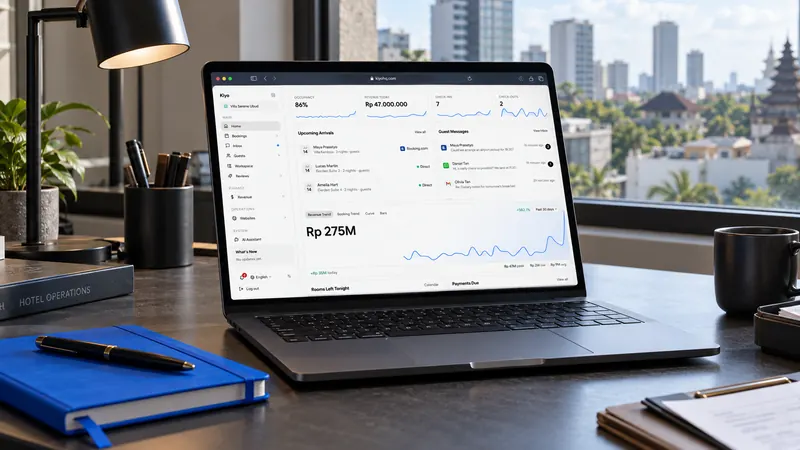
Kiyo is a PMS and channel manager for independent hotels, villas, guesthouses and hostels. The same live calendar holds OTA bookings, WhatsApp stays, phone bookings and walk-ins. Walk-ins can be entered at the desk, and a booking can be marked as already paid. When a room is booked, it locks on all connected channels within milliseconds.
Kiyo connects to 75+ OTAs, including Traveloka and tiket.com. The team sets up your rooms, rates and channels with you. In Bali, we can visit the property. Outside Bali, we do it by video call. Future bookings can be imported from a CSV or TSV file (guest name, room name, check-in and check-out are required) if you are switching from a spreadsheet or another export. There is no direct importer from another PMS.
Staff screens are available in Bahasa Indonesia and work in the phone browser. There is no separate native staff app to install. Each property gets a WhatsApp group with the Kiyo team. Normal support runs from 07:00 to 19:00 WITA, with 24-hour cover for system failures.
Kiyo starts from Rp40k per room per month (opens in new tab); use the pricing page for the quote that matches your hostel. Free setup, pay from go-live, 14-day money-back guarantee. For a wider fit question, see is Kiyo right for your property (opens in new tab).
Frequently asked questions
If you sell the same rooms on more than one channel, or you take walk-ins and WhatsApp stays, you need one calendar. The size of the building matters less than the number of ways a room can be sold.
You can, but you should not make it the habit. Enter the stay before you hand over the key, so the room is already closed on the OTAs. After the fact is how a second sale slips in.
Kiyo connects to 75+ OTAs, including Traveloka and tiket.com. Exact availability still depends on the channel, the market and the property. Ask in the demo about the channels you already use. Do not assume a named channel is connected until it has been checked.
Yes, in the phone browser. Do not expect a separate native staff app. For a busy desk, try the arrival list and the walk-in booking on a phone during the demo.
You can import a CSV or TSV file with guest name, room name, check-in and check-out, then check the next two weeks by hand. That is the same method described in the switch guide if you are leaving another system.
Housekeeping tools, including a cleaner view in the phone browser, are on the Business plan. Many small hostels start with the live calendar and the arrival list. Ask in the demo what you will actually see on the plan you are considering.
 Add Kiyo to your preferred sources on Google